

sualiha

Treating Design Reviews as a Checklist Instead of a Decision-Making Process

Design Review Mistakes That Lead to Costly Production Delays

A Design Review is one of the most important checkpoints in any Product Development Process. When engineering, manufacturing, and quality teams sit down to evaluate a design before it moves forward, they have a rare opportunity to catch problems while changes are still cheap. A thorough Product Design Review can mean the difference between a smooth launch and a production line that grinds to a halt. The cost of finding design issues after tooling or production begins is dramatically higher than catching them during review. A flaw discovered on paper might cost a few hours of rework. The same flaw discovered after a mold has been cut, a fixture built, or a production batch run can cost tens of thousands of dollars and weeks of schedule slip. Effective reviews reduce redesign, delays, and manufacturing risk across the board. This article walks through the most common mistakes companies make during design reviews and how to avoid them, so your next Engineering Design Review catches the issues that matter before they reach the shop floor. Overview A Design Review brings cross-functional teams together to evaluate a product before it advances to tooling or production. Common mistakes, such as skipping early-stage reviews, ignoring tolerancing, or overlooking material availability, can delay production, raise engineering costs, and reduce product quality. Structured, cross-functional reviews that include manufacturing, quality, and supply chain input improve manufacturability and significantly reduce overall project risk. 1. Skipping or Rushing Early-Stage Design Reviews (PDR/CDR) The Preliminary Design Review (PDR) and Critical Design Review (CDR) are two of the most valuable checkpoints in the Product Development cycle, yet they are often rushed when schedules tighten. The Preliminary Design Review (PDR) confirms that the overall design approach is sound before detailed engineering work begins, while the Critical Design Review (CDR) verifies that the design is ready for release to manufacturing. Skipping or compressing these milestones makes it far harder to identify risks before design freeze. Once a design is frozen, the cost of late design changes rises sharply because tooling, fixtures, and supplier commitments are already in motion. Early stakeholder alignment during PDR and CDR keeps surprises from surfacing downstream, when they are far more expensive to fix. 2. No Cross-Functional Team Involvement A Mechanical Design Review that only includes engineers misses critical perspectives. The strongest reviews bring together Engineering, Manufacturing, Procurement, Quality Assurance, Supply Chain, and Service & Maintenance teams, each contributing a different lens on the same design. Manufacturing flags process limitations before they become production blockers. Procurement identifies sourcing constraints early in the cycle. Quality Assurance raises inspection and tolerance concerns front. Supply Chain flags lead-time and component risk. Service & Maintenance teams highlight long-term serviceability needs. The benefit of collaborative decision-making is that issues surface while they are still inexpensive to fix, rather than after commitments have already been made. 3. Poor Version Control and Engineering Change Management (ECM) When multiple versions of a drawing circulate without clear labeling, different teams end up working from different “truths.” Production might be machining to Rev C while procurement ordered materials against Rev B specs. This mismatch often isn’t caught until parts fail to fit or an inspector flags a discrepancy, by which point time and material are already lost. Engineering Change Orders (ECO) An ECO is the formal instruction to implement an approved change, whether it’s a dimension update, material substitution, or process revision. It typically documents what’s changing, why, who approved it, and the effective date. Without a proper ECO process, changes get made informally through emails or verbal instructions, which are easy to miss and impossible to audit later. Engineering Change Notices (ECN) While an ECO authorizes a change, an ECN communicates that a change has happened. It’s the notification that pushes updated information out to everyone affected, manufacturing, quality, purchasing, and suppliers, so no one is left working from stale data. Skipping this step is a common reason outdated drawings keep resurfacing even after a design has already been revised. Drawing management This covers how drawings are stored, labeled, and retrieved so the current revision is always easy to identify. Simple conventions, like consistent revision blocks, clear naming, and restricted edit access, prevent the everyday mix-ups that cause the biggest downstream headaches. PLM/PDM systems Product Lifecycle Management and Product Data Management systems give this process real teeth by centralizing files, enforcing revision control, and tracking approval history automatically. Rather than relying on individuals to remember which version is current, the system itself controls access and visibility, cutting down on human error significantly. Preventing outdated files from reaching production The final safeguard is making sure obsolete drawings simply cannot reach the shop floor. This means locking down superseded files, controlling who can release documents to production, and building checkpoints that verify the latest approved revision before work begins, so an old file never gets a chance to cause expensive rework Strong drawing management, supported by PLM/PDM systems, prevents outdated files from reaching production, which is one of the most preventable sources to avoid major conflicts   4. Overlooking Material Availability and Supplier Capabilities Material availability Even a flawless design can stall if material lead times aren’t considered during review. Long-lead items, single-source materials, or components facing global shortages can quietly derail a schedule if they’re only discovered after production release. Factoring availability into the review itself, rather than treating it as a purchasing problem to solve later, gives the team room to plan around delays or identify substitutes before they become urgent. Supplier capabilities A design that looks sound on paper can still run into trouble if it exceeds what a supplier can reliably produce. Understanding supplier manufacturing capabilities up front, including tolerances they can consistently hold and processes they’re actually equipped for, prevents mismatches between design intent and shop-floor reality. Building in alternative material or vendor options at the review stage also helps teams avoid surprises tied to component obsolescence or single-supplier dependency. Cost implications and broader supply chain risks should be discussed openly during the review rather than discovered after purchase orders have already been placed. 5. Treating Design Reviews as a Checklist Instead of

Design Review Mistakes That Lead to Costly Production Delays Read More »

Improve Design for Manufacturability (DFM)

10 Reasons Why Industrial Design and Mechanical Engineering Must Work Together

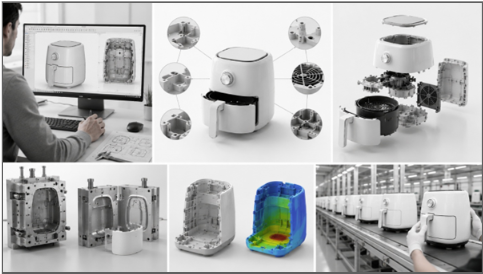
Most product failures do not happen on the factory floor. They happen months earlier, when industrial design and mechanical engineering work in separate lanes instead of one shared process. A product can look stunning on screen and still fail in production if structural feasibility, tooling limitations, assembly logic, and manufacturing constraints are not considered from day one. When industrial designers and mechanical engineers collaborate early, businesses reduce costly redesigns, shorten development timelines, improve Design for Manufacturability (DFM), and launch products that are both visually appealing and mechanically sound. This is especially important for startups and growing manufacturers, where every prototype cycle and tooling decision carries real financial weight. A single overlooked clearance issue, tolerance stack-up, or unrealistic mold geometry can add weeks to a launch schedule and significantly increase development costs. Building a shared workflow between industrial design and mechanical engineering from the earliest sketches helps protect product quality, manufacturing efficiency, and the bottom line. The following ten reasons explain why this collaboration is essential for successful product development. Key Benefits of Integrating Industrial Design and Mechanical Engineering Before diving into the details, here is a quick snapshot of what cross-functional collaboration delivers. It reduces costly design revisions during development, improves Design for Manufacturability (DFM), and Design for Assembly (DfA), and lowers injection mold tooling costs. It also simplifies product assembly, accelerates prototype validation, and improves component packaging, and enhances product reliability and durability. Beyond the production line, it reduces manufacturing risks, speeds up product launches, improves product quality and user experience, and supports scalable production as a business grows.  Industrial Design Mechanical Engineering Combined Business Benefit Product aesthetics Structural integrity Better product quality User experience Manufacturability (DFM) Lower production costs Ergonomics Material selection Improved reliability Product form Assembly optimization (DfA) Faster product launches Brand identity Thermal & structural performance Production-ready products 1. Prevent Costly Product Redesigns Later in Development When industrial designers and mechanical engineers review a product concept together during the early stages of development, they can identify packaging constraints, structural feasibility, manufacturability, and assembly issues before a single prototype is built. This proactive approach helps reduce engineering change orders (ECOs), avoid costly redesigns after prototyping, and keep project timelines and development budgets on track.  According to engineering cost studies, the cost of implementing design changes increases significantly as projects progress from concept design to tooling and production. Identifying design issues early helps minimize engineering changes, reduce development costs, and prevent schedule delays later in the product development process. Redesigns rarely stay contained to a single part. A change to a wall thickness can ripple into the mold, the assembly fixture, and the supplier quote, multiplying both cost and delay. Catching these conflicts at the concept stage, while changes are still just sketches and CAD files, is dramatically cheaper than catching them after a tool has already been cut. Many costly redesigns can be prevented through a structured design review process that identifies manufacturability, assembly, and production risks before development progresses. Learn more about the  design review mistakes that lead to costly production delays. Engineering Scenario: Consumer Kitchen Appliance During the development of a consumer kitchen appliance, the industrial design team proposed a sleek, compact enclosure to enhance the product’s visual appeal. During the concept phase, mechanical engineers identified potential packaging constraints between the heating assembly, airflow components, and electronic controls that could have led to multiple redesigns during prototyping. By working together early, both teams optimized the internal layout, refined the enclosure design, and ensured sufficient space for critical components without compromising the product’s aesthetics. Addressing these challenges before prototype development reduced engineering changes later in the project and helped prepare the design for efficient manufacturing. 2. Balance Product Aesthetics with Engineering Performance A great-looking product still has to function reliably. Collaboration ensures attractive designs meet structural requirements and that ergonomics are optimized without compromising functionality. Teams can address thermal, mechanical, and environmental constraints early, which improves user experience while maintaining reliability and prevents conflicts between styling goals and engineering requirements.  Tension between aesthetics and engineering is one of the most common sources of friction in product development. A designer may want thin, seamless surfaces, while an engineer needs enough wall thickness to survive a drop test. Resolving that tension together, rather than passing a finished concept down the chain, usually produces a design that satisfies both goals instead of forcing one team to compromise late in the process. Engineering Scenario: Premium Coffee Machine While designing a premium coffee machine, the industrial design team proposed a seamless front panel with hidden fasteners to achieve a clean, modern appearance. During engineering development, the mechanical team identified that the original design restricted airflow around the heating system and made routine servicing difficult. Working together, both teams refined the internal structure by redesigning mounting features, improving ventilation paths, and integrating hidden fastening solutions that maintained the product’s premium appearance. The final design achieved the desired visual appeal while meeting structural, thermal, and serviceability requirements without compromising manufacturing feasibility. 3. Optimize Internal Component Packaging Maximizing available internal space allows for efficient placement of batteries, PCBs, connectors, and mechanical components, reducing interference between parts. This simplifies assembly and servicing while supporting compact, user-friendly product designs without compromising functionality. Internal packaging decisions made early often determine how much flexibility a product has for future revisions. A layout designed with adequate clearances and modular component placement makes it easier to upgrade batteries, integrate additional electronics, improve airflow, or accommodate regulatory changes without redesigning the entire enclosure. Engineering Scenario: Consumer Kitchen Appliance s a consumer kitchen appliance evolved to include additional electronic features, the available space inside the enclosure became increasingly limited. The challenge was to accommodate the heating assembly, control PCB, airflow system, wiring, and removable basket within a compact product without increasing its external dimensions. By carefully reorganizing the internal component layout, optimizing mounting features, and improving cable routing, the engineering team created a more efficient package that simplified assembly and improved serviceability. The optimized layout also provided flexibility for future product

10 Reasons Why Industrial Design and Mechanical Engineering Must Work Together Read More »

Overengineering Structural Features

10 Design Mistakes That Increase Injection Mold Tooling Costs and How to Avoid Them

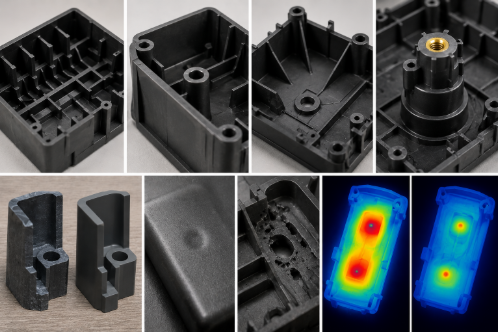
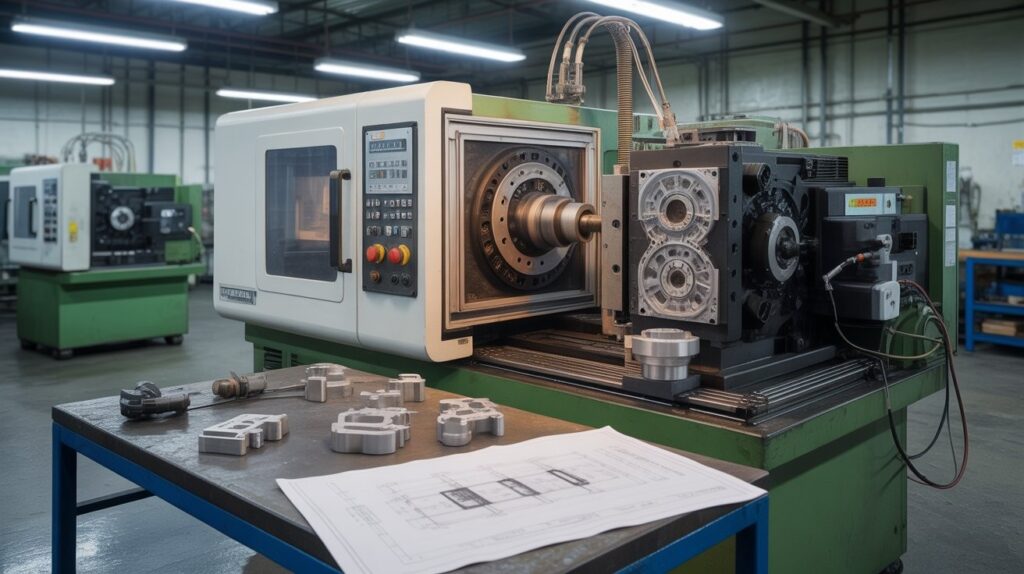
Tooling is one of the largest upfront investments in any injection-molded product. For most projects, the mould itself represents 30 to 60 percent of total product development cost, and those numbers can climb fast when the design is not built with manufacturability in mind. The frustrating reality is that most tooling cost overruns are not caused by poor supplier selection or unexpected material prices. They are locked in during the design phase, often weeks or months before a purchase order is issued. This guide walks through ten design decisions that consistently drive up injection mold tooling costs, along with practical strategies engineers and product teams can use to avoid them. Each section includes a real-world case study to show how the principles apply in practice. 1. Designing Features That Require Side Actions, Sliders, and Lifters What Are Side Actions, Sliders, and Lifters? Side actions in injection molding are mechanical mechanisms built into a mold to form features that cannot be released by opening the mold along its primary axis. Sliders move horizontally to create external undercuts such as lateral holes or recesses, while lifters in injection molds move at an angle to release internal undercut features during part ejection. Both add significant mechanical complexity to the tool. How Undercuts Drive Up Mold Complexity and Cost Every undercut design feature in a design requires a corresponding mechanism in the mold. Each mechanism adds machined components, wear surfaces, cooling considerations, and assembly points. A simple two-plate mold with no side actions can be designed, machined, and assembled in a fraction of the time a mold with four or five mechanisms requires. Beyond initial build cost, mechanisms increase long-term maintenance frequency and the likelihood of production downtime. The cost impact of mold complexity caused by side actions is significant. Industry estimates suggest each additional side action can add 8 to 15 percent to total tooling cost depending on the mechanism size and accessibility within the tool. For a baseline mold in the $40,000 to $80,000 range, three or four side actions can translate to an additional $15,000 to $30,000 in tooling investment before production begins. Design Alternatives and DFM Strategies The most effective way to control mold construction cost is to eliminate undercuts during the design phase through geometry modification. Repositioning holes to align with the draw direction, splitting features across two mold halves, or adding draft to recessed areas can often remove the need for mechanisms entirely. When side actions are unavoidable because functional requirements demand the feature, toolmakers should be consulted early to select the lowest-complexity mechanism that satisfies the design intent. DFM reviews that focus specifically on injection mold tooling costs will flag every potential side action before mold design begins, giving engineering teams the option to simplify while design changes are still inexpensive.   Case Study: Smart Home Controller EnclosureA smart home device manufacturer designed a plastic enclosure with multiple side openings for cable routing and mounting features. The initial design required four side actions and two lifters, significantly increasing mold complexity and tooling costs. During a DFM review, the enclosure geometry was modified to avoid many undercuts and reposition critical features. The revised design reduced the number of side actions required, simplified mold construction, and shortened tooling lead times. The company moved into production faster while avoiding unnecessary tooling investment.   2. Creating Intricate Geometries That Increase Mold Complexity What Makes a Geometry Difficult to Mold? Not all complex shapes present the same challenges. The geometries that consistently drive up machining time and tooling cost share a few common characteristics: deep, narrow ribs that are difficult to reach with standard cutters, sharp inside corners that require EDM rather than CNC machining, organic contours that require extensive hand polishing, and sections where wall thickness varies dramatically across a single surface. Deep ribs below a width-to-depth ratio of 1:3 create significant access limitations for milling tools. Cutting these features typically requires small-diameter end mills running at slow feed rates with multiple passes, or EDM operations that add days to the machining schedule. Either way, the cost per feature rises sharply compared to a part with open, accessible geometry. Impact on Cycle Time and Production Cost Intricate geometries do not just increase tooling cost during fabrication. They affect cycle time in production as well. Thin walls in isolated areas of an otherwise thick part create uneven cooling, forcing longer cycle times or introducing warping and sink marks that require secondary processing. Every second added to the production cycle multiplies across hundreds of thousands of parts over a tool’s lifetime. Simplification Strategies During Product Development The best time to challenge geometric complexity is during early concept review, before industrial design decisions are locked. Replacing organic transitions with compound radii, reducing rib depth, and standardising fillet sizes across a part are changes that take minutes to implement in CAD but can remove hours of machining time from the tooling schedule. Balancing aesthetics with manufacturability is not a compromise; it is a design discipline that produces better products at lower cost.   Case Study: Wearable Electronics HousingA wearable electronics company requested a premium cosmetic finish across all exterior and interior molded surfaces. Toolmakers identified that the specification would require extensive polishing and significantly increase mold fabrication time. After reviewing the product’s user interaction points, the design team limited premium finishes to visible exterior surfaces only. Interior and mating surfaces were assigned practical functional grades. This reduced mold finishing requirements while maintaining product aesthetics where it mattered most.   3. Over-Specifying Cosmetic Surface Finish Requirements Understanding SPI Surface Finish Standards The Society of the Plastics Industry defines a graded scale of mold surface finish cost standards, from the rough A-6 through the mirror-polished A-1. Each step up the scale requires progressively more hand polishing time, higher-grade polishing media, and greater skill from the toolmaker. The difference in labour between an SPI B-2 finish and an SPI A-1 finish on a large mold face can represent 40 to 80 hours of additional skilled polishing work.

10 Design Mistakes That Increase Injection Mold Tooling Costs and How to Avoid Them Read More »

Modular Product Architecture for Faster Manufacturing

10 Product Design Decisions That Reduce Assembly Time and Manufacturing Costs

In today’s competitive manufacturing landscape, the most successful products are not just well-engineered; they are designed to be built efficiently. Product design decisions made during the early development phase have a direct and measurable impact on assembly time, production costs, tooling complexity, and overall profitability. At Engon Technologies, we help hardware manufacturers and product teams build smarter from the start. Here are ten high-impact design decisions that reduce assembly time and manufacturing costs without compromising product performance.   1. Reduce Part Count Through Functional Integration Why Fewer Components Mean Lower Manufacturing Costs Reducing part count is one of the most powerful levers in Design for Assembly (DfA). Every additional component in a Bill of Materials (BOM) adds procurement complexity, storage requirements, assembly labor, and the risk of defects. Functional integration, which combines two or more parts into a single moulded or machined component, eliminates redundancy while maintaining full performance. When should multiple parts be combined into one? The decision depends on whether the functions served can be physically co-located without sacrificing structural integrity, repairability, or material compatibility. If a bracket, a housing, and a locating feature can all be captured in a single injection-moulded part, the design is almost always stronger and cheaper in production. The practical impact of reducing part count is significant across several cost centres: BOM reduction lowers material and procurement costs; tooling consolidation reduces the number of mould tools required; inventory simplification cuts warehouse and logistics overhead; and assembly labour savings compound with every unit produced. In consumer electronics and industrial equipment, this principle consistently delivers 15 to 30 percent reductions in per-unit assembly time. AI Overview Opportunity: “How reducing part count lowers manufacturing cost” Case Study: Industrial Equipment Assembly An industrial equipment manufacturer redesigned a multi-part mounting assembly by integrating brackets and locating features into a single moulded component. The change reduced part count by 28%, shortened assembly time, and lowered inventory management costs while maintaining product performance. 2. Design Self-Locating Features That Eliminate Manual Alignment How Engineers Reduce Assembly Errors with Smart Geometry Manual alignment is one of the most time-consuming and error-prone steps in assembly. Self-locating features, geometric details built directly into parts, guide components into their correct position automatically, reducing operator intervention and dramatically cutting the opportunity for defects. Common self-locating features include: Alignment tabs: protrusions that slot into corresponding recesses, locking parts into position before fastening Lead-ins: tapered edges that guide mating surfaces together smoothly during assembly Chamfers: angled edges that ease part insertion, reduce force requirements, and prevent mis-seating Guide pins: precision locating features that align sub-assemblies within tight tolerances Assembly poka-yoke principles: asymmetric geometry that physically prevents incorrect part orientation (see Section 9) When self-locating features are properly engineered, they reduce assembly time, eliminate rework, improve consistency across production runs, and reduce the training burden for assembly operators. The investment in slightly more complex tooling geometry pays back rapidly at scale.   AI Overview Opportunity: “What are self-locating features in product design?”   3. Replace Excessive Fasteners with Snap-Fits and Integrated Joining Features Reducing Assembly Time Through Fastener Optimization Screws, bolts, and threaded inserts are reliable, but they are also slow, expensive, and tool-dependent. Every fastener in an assembly requires a separate component, a separate assembly step, a torque specification, and often a dedicated tool. Fastener reduction strategies replace screw-based joining with engineered alternatives that are faster to assemble and cheaper to produce. Snap-fit features (cantilever, annular, or torsional) can replace multiple screws in a single housing or cover assembly. When properly designed with correct deflection limits and material selection, snap-fits provide sufficient retention force for most non-structural applications. Tool-less assembly enabled by snap-fits also simplifies maintenance and end-of-life disassembly. The tradeoffs are real: snap-fits require careful material selection (particularly for fatigue life), tighter geometric tolerances on mating features, and a higher tooling investment upfront. For high-volume consumer products, the per-unit savings in hardware procurement and assembly time typically justify this investment within the first production run. This is also an area where industrial design and mechanical engineering collaboration matters most. Industrial designers define the user experience of product opening and closing; mechanical engineers validate the structural requirements. When these disciplines work together during DfA review, the result is a joining strategy that is both functional and manufacturable.   Case Study: Consumer Electronics Housing A consumer electronics company replaced multiple screws with engineered snap-fit features in a device enclosure. The redesign reduced assembly operations, shortened production time, and lowered hardware procurement costs without affecting structural integrity.   4. Standardize Components Across the Product Assembly Why Standard Parts Lower Production Costs Non-standard components (fasteners, connectors, brackets, or purchased assemblies) introduce unnecessary complexity into the supply chain and the assembly line. Component standardization is the practice of selecting common, off-the-shelf parts and using the same specification across multiple locations within a product and across the product family. Standard screw sizes mean a single tool torques every fastener on the assembly. Common hardware selection means a single purchase order and a single supplier relationship covers dozens of applications. Purchased component standardization reduces the number of unique line items in procurement, simplifies incoming inspection, and reduces the risk of obsolescence. At the product architecture level, standardization also improves assembly quality by reducing operator decisions. When every M3 screw looks the same, there is no risk of selecting the wrong fastener. Supply chain simplification translates directly into reduced lead times, lower minimum order quantities, and stronger negotiating positions with suppliers.   AI Overview Opportunity: “Benefits of standardization in manufacturing”   5. Design for Top-Down Assembly and Automated Production Simplifying Assembly Line Operations Through Product Architecture Assembly architecture, which refers to the sequence and direction in which components come together, is a fundamental driver of assembly line efficiency. Products designed for top-down assembly exploit gravity, reduce the need for repositioning, and allow components to nest naturally into sub-assemblies. This single principle can reduce fixturing requirements, shorten cycle times, and improve consistency. Key design strategies for top-down assembly include: Gravity-assisted assembly: components seat naturally without

10 Product Design Decisions That Reduce Assembly Time and Manufacturing Costs Read More »

industrial Design Services for hardware Startups

7 Ways Industrial Design Drives Premium Perception & Startup Funding

The Industrial Design Strategy: Engineering Premium Perception and Venture Success In today’s competitive hardware market, product success depends on far more than innovative technology. Customers, investors, and manufacturing partners often judge a product’s quality, usability, and production readiness long before they evaluate its technical capabilities. Industrial design for hardware startups plays a critical role in transforming engineering ideas into products that inspire confidence, communicate quality, and are ready for scalable manufacturing. When combined with mechanical product engineering, it creates products that are functional, manufacturable, and commercially successful. In crowded hardware categories, the products that succeed are rarely defined only by technical sophistication. They are the products whose form language, interaction quality, and material execution feel resolved from the very first interaction. This article explores seven dimensions of industrial design that separate forgettable products from iconic ones, and underfunded startups from well-backed ventures. For hardware startups, this is where the right design partner becomes critical. From concept development to manufacturing readiness, an experienced end-to-end product design support ensures that every decision—from ergonomics to materials to assembly—aligns with user expectations, investor confidence, and scalable production. 1. Human Centric Form: Ergonomics as Success Driver  Elevated industrial design begins understanding how end users physically and emotionally interact with a product. Following Dieter Rams’ principle that good design makes a product useful, form development must resolve physical comfort, cognitive clarity, and intuitive interaction simultaneously. This is where ergonomic product design services become essential in translating human behavior into practical, user-centered form. If a product does not integrate naturally into how people hold, operate, or interact with it, no amount of engineering sophistication or visual refinement can compensate for that friction. In our experience, ergonomic issues rarely appear during the initial design phase. They typically emerge during prototype testing, when users struggle with grip angles, button placement, or prolonged handling. Small refinements based on this feedback—such as repositioning controls or adjusting contours—can significantly improve comfort, usability, and overall product acceptance. Reduced Interaction Friction: Compact, intuitive form factors reduce effort during everyday use through ergonomic geometry and thoughtfully designed physical controls. User Retention: Products that integrate seamlessly into daily behavioural routines through refined ergonomics encourage repeat usage, improving long-term adoption and customer satisfaction. Product Longevity: Designs based on real user behaviour are inherently more sustainable because they encourage repairability, prolonged usability, and reduced product obsolescence. Ergonomics is not a finishing layer within industrial design. It forms the foundation of meaningful product interaction, influencing usability, customer satisfaction, and long-term product success. 2. Visual Semiotics: The 5-Second Impression in Industrial Design for Hardware Startups Users and investors form critical judgments about a product within seconds. That first impression is shaped by visual semiotics, where surface quality, balanced proportions, and thoughtful form language communicate product quality before users experience its functionality. For industrial design for hardware startups, these visual cues play a critical role in building trust, communicating engineering maturity, and creating a strong first impression with both customers and investors. Clean geometry, controlled surfacing, and considered minimalism are not purely aesthetic decisions. They communicate engineering confidence, design maturity, and attention to detail. This level of refinement is achieved through experienced hardware product design services, where industrial designers and mechanical engineers collaborate from the earliest stages to align form, function, and manufacturability, resulting in products that are both visually coherent and production-ready. Dieter Rams articulated this through his principle that good design is “as little design as possible.” Removing unnecessary visual complexity creates stronger visual hierarchy and more coherent product semantics. In practice, visual refinement rarely happens in the first CAD model. It evolves through multiple prototype iterations, where small refinements to proportions, edge radii, surface transitions, and part lines significantly influence how users, investors, and manufacturing partners perceive product quality, even when the underlying engineering remains unchanged. Minimalist Design: Clean lines, balanced proportions, and controlled detailing communicate precision, engineering discipline, and confidence in the product’s design. Execution Confidence: A deliberate and consistent visual identity signals market readiness, while unresolved form language often suggests that the product is still in development rather than ready for commercialization. For hardware startups, visual refinement shapes first impressions long before functional evaluation begins. It signals engineering maturity, market readiness, and greater confidence to customers, investors, and manufacturing partners. 3. CMF: The Sensory Vocabulary of Value  Color, Material, and Finish (CMF) is the sensory language that shapes how users perceive a product beyond their first impression. A well-defined CMF strategy influences tactile perception, material authenticity, and long-term product value while ensuring materials and finishes support efficient manufacturing and scalable production. To learn practical DFM techniques that improve manufacturability and reduce tooling costs, explore our guide on DFM for injection molding. Matte textures, brushed metals, and glass interfaces create a premium tactile experience that reinforces perceived product value and strengthens perceived value. By contrast, low-grade glossy plastics create a fundamentally different perception in both the hand and the mind. Premium Tactility: Matte finishes, brushed metallic surfaces, and glass interfaces create a tactile experience that users naturally associate with premium-quality hardware. Material Integrity: High-quality materials maintain structural and aesthetic consistency under stress and age with greater visual dignity than inexpensive plastics. Ethical Sourcing: Contemporary CMF strategy increasingly incorporates responsibly sourced materials, recycled substrates, and environmentally conscious finishing systems aligned with evolving consumer expectations. Material selection is no longer purely aesthetic. It is inseparable from performance, sustainability, and brand positioning. In practice, material selection is often refined through engineering reviews, prototype testing, and manufacturing feedback to ensure the final product balances user expectations, durability, and production efficiency. Material selection is rarely a one-time decision. Designers must balance appearance, durability, manufacturing methods, product cost, and long-term performance throughout development. For example, a prototype may be produced using materials that support rapid design iterations, while the production version shifts to an injection-molded glass-filled polymer to reduce cost, weight, and manufacturing complexity without compromising functional performance.     Building a Hardware Product? Work with experienced mechanical product engineering experts to improve usability, reduce manufacturing risks, and prepare your product for production.

7 Ways Industrial Design Drives Premium Perception & Startup Funding Read More »

7 IoT Enclosure Design Mistakes That Cost Hardware Startups Time and Money

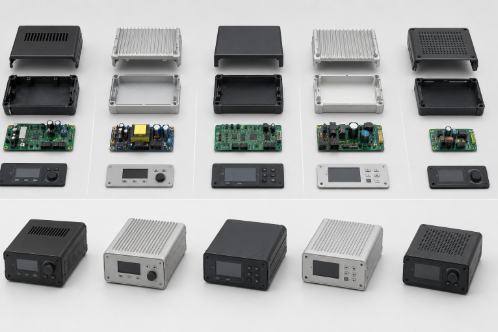
Reviewed by: Mechanical Engineering Team, Engon Technologies Why IoT Enclosure Design Mistakes Increase Manufacturing Cost  You have a brilliant IoT product idea. You have funding, a team, and a rough prototype. But before you ever send a single unit to a customer, your budget is already bleeding out from the inside. The culprit? Your enclosure design—often developed without proper injection molding design input or the support of experienced injection molding design services —can lead to costly mistakes that only appear after manufacturing begins. For hardware startups, the enclosure is rarely the first priority. Engineers focus on firmware, connectivity, and sensors. Designers obsess over the app interface. And the enclosure, the physical shell that holds everything together, gets treated as an afterthought. That is a mistake that can become expensive. We’ve seen many product development teams encounter the same challenges: enclosure designs that perform well in CAD but create unexpected manufacturing, assembly, or reliability issues during production. Our mechanical product engineering support for hardware startups  helps identify these risks early through practical engineering expertise, enclosure validation, and design for manufacturability (DFM). Having worked with startups across the US and Europe, we’ve seen how resolving these issues before prototyping or tooling can significantly reduce redesign costs and accelerate product development. Here are seven common IoT enclosure design mistakes and practical ways to avoid them. IoT enclosure design involves much more than creating a protective housing for electronics. Decisions related to operating environment, material selection, electronics integration, manufacturability, and tooling all influence production cost, product reliability, and time-to-market. Understanding these engineering considerations early helps reduce redesigns, improve manufacturing readiness, and support a smoother transition from prototype to production. 1. IoT Enclosure Design Mistake: No Clear Use-Case Definition IP Rating & Waterproof Design Basics Every IoT enclosure design decision —from material selection and sealing methods to mounting features and structural geometry—starts with one fundamental question: Where and how will this product actually be used? Consider whether your device will be mounted on an indoor wall, installed on factory equipment, deployed on outdoor infrastructure, or used in agricultural environments exposed to rain, dust, sunlight, and temperature fluctuations. Each application creates different mechanical and environmental challenges, requiring an enclosure designed specifically for those operating conditions. IP ratings are a good example. IP54, IP67, and IP68 are not interchangeable. Selecting a higher rating than necessary can increase manufacturing complexity and cost, while choosing insufficient protection may result in moisture ingress, premature product failure, and expensive field replacements. One common observation during enclosure design reviews is that environmental requirements are often finalised after the enclosure concept has already been developed. When operating conditions change late in the project, engineering teams frequently need to revisit material selection, sealing methods, or enclosure geometry before production can begin. Addressing these requirements early helps reduce engineering changes, tooling modifications, and project delays. Engineering Takeaway Clearly defining the product’s operating environment before enclosure development begins provides a strong foundation for every design decision that follows. Material selection, environmental protection, structural design, and manufacturing methods are all influenced by how and where the product will be used. Establishing these requirements early reduces uncertainty and improves manufacturing readiness. Note: The following engineering scenarios are illustrative examples based on common IoT enclosure design challenges observed across hardware product development. They are intended to demonstrate how early design decisions can affect manufacturability, reliability, and production readiness.     Engineering Scenario: Outdoor IoT Deployment An IoT startup developing a smart agriculture device designs and tests its enclosure in a controlled indoor environment before deploying it outdoors. After installation, prolonged exposure to rain, UV radiation, and temperature fluctuations results in water ingress and material degradation. The team must redesign the enclosure, improve environmental sealing, and select a more suitable material before production can continue. Key Engineering Insight: Your operating environment should define the enclosure design—not assumptions made during development.   2. Poor Electronics–Enclosure Integration Electronics Enclosure Design & Antenna Placement The PCB team designs the electronics, while the mechanical team develops the enclosure. When these activities happen independently with minimal collaboration, integration issues often appear during prototyping or production preparation. A well-coordinated PCB enclosure design process helps identify these conflicts before they become costly engineering changes. Common problems include antennas positioned too close to enclosure walls, batteries with limited service access, cable routing that complicates assembly, or PCB mounting points that interfere with structural features. Although these issues may appear minor during CAD development, they can significantly affect product performance, manufacturability, and assembly efficiency. Antenna placement deserves particular attention. Reliable antenna design for IoT requires adequate clearance and careful consideration of enclosure materials and internal component placement. Wireless technologies such as Wi-Fi, Bluetooth, LoRa, and LTE are highly sensitive to nearby materials and enclosure geometry, making early design decisions critical to consistent signal performance. The most effective approach is to develop the enclosure and electronics as one integrated system rather than two independent projects. Working from a shared 3D model enables mechanical, electronics, and manufacturing teams to identify packaging conflicts, assembly challenges, and serviceability concerns before tooling begins. Engineering Takeaway An IoT enclosure should be designed alongside the electronics it protects. Early collaboration between engineering disciplines reduces redesign risk, improves manufacturability, and helps deliver a product that performs reliably in production.     Engineering Scenario: PCB–Enclosure Integration A hardware startup develops the PCB and enclosure in parallel without regular coordination between mechanical and electronics teams. During prototype assembly, the antenna is positioned too close to the enclosure wall, reducing wireless performance, while PCB mounting points interfere with structural features. Resolving these issues requires revisions to both the PCB layout and enclosure before production can proceed. Key Engineering Insight: The enclosure and electronics should be developed as one integrated system.     Not sure if your enclosure is ready for prototyping or production?? Get a quick engineering review before you move further—identify integration, assembly, and manufacturability issues before they become expensive redesigns. Get an Enclosure Design Review → 3. Ignoring Manufacturing Numbers (Volume → Process → Design) How to

7 IoT Enclosure Design Mistakes That Cost Hardware Startups Time and Money Read More »

7 DFM Engineering Techniques to Reduce IoT Enclosure Manufacturing Costs Before Production

Most hardware startups realize the importance of DFM for injection molding only at advanced stages of tooling. At that stage, even minor modifications require expensive tool rework, causing delays and significant cost overruns. DFM is not a checklist to run through at the end of your design process. It is a discipline that must shape every decision from the earliest concept stages. Applied correctly, it reduces manufacturing costs, improves yield, shortens cycle times, and makes your product far easier to scale when the time comes. This is why many global teams now rely on mechanical product engineering for startups in the US and Europe to ensure DFM is embedded right from the concept stage. This article covers 7 proven techniques for injection molding cost reduction, that directly impact manufacturing costs for IoT enclosures with real case studies that show exactly what poor decisions look like in practice, and what thoughtful design can save. 1. DFM for Injection Molding: Costly Gate Design Mistakes How to optimize gate location in injection molding to avoid costly defects In injection moulding, the gate is the entry point through which molten plastic flows into the mould cavity. A well-planned injection molding gate design determines almost everything about how your part fills, where weld lines form, and whether the finished part warps or remains dimensionally stable. There are several gate types to consider: edge gates are simple and low-cost but can leave visible marks; pin gates offer cleaner aesthetics but require more complex tooling; hot runner systems eliminate gate vestiges entirely but carry significantly higher upfront tooling costs. The right choice depends on your part geometry, production volume, and cosmetic requirements, especially when targeting injection molding cost reduction without compromising quality. Flow balance is the critical concept. When plastic enters from an optimally positioned gate, it fills the cavity evenly, pushing air out through vents uniformly, and cooling with consistent shrinkage across the part. Poor gate placement creates race tracking where plastic flows faster through thicker sections and meets itself at weld lines. These weld lines are structural weak points and often cosmetically visible. Using mold flow analysis, engineers can simulate and validate gate positions before committing to tooling. This is not an expensive luxury; it is one of the most cost-effective investments in the entire product development process.     Case Study: Consumer Electronics Startup, United States Problem: Incorrect gate placement caused uneven material flow, leading to high rejection rates and visible warping in the finished enclosures. Impact: Significant scrap costs are accumulating with every production run. Assembly delays and quality control failures. Fix: Flow simulation used to identify optimal gate repositioning. Tooling was modified before high-volume production commenced. Result: Defect rate was eliminated. Approximately $20,000 saved in scrap and rework costs. Key Insight: Flow balance directly determines your cost per accepted part.   02.Parting Line Design Mistakes That Drive Up Tooling Cost How parting line design affects tooling cost in plastic parts The parting line is where the two halves of your injection mould meet. Effective parting line design in injection molding is one of the most consequential design decisions in plastic part development and one that is frequently underestimated by startups unfamiliar with tooling economics. In DFM for injection molding, parting line strategy plays a critical role in controlling tooling complexity and overall cost.Every time your part geometry forces the mould to split in a complex direction, or requires side actions and lifters to release undercuts, your mold design complexity cost increases These mechanisms drive up cost, add machining time, increase mould maintenance requirements, and introduce additional failure points in production. Simpler parting geometry equals cheaper, more reliable tooling and contributes directly to injection molding cost reduction. Flash defects in of plastic that form at the parting line are another consequence of poor strategy. When mould halves do not align perfectly, or when injection pressure forces plastic into tiny gaps, flash forms and must be removed manually or through secondary operations. At volume, this adds meaningful labor cost. The best approach is to define your parting line during the earliest stages of enclosure design, not as a downstream manufacturing consideration. Place parting lines on non-cosmetic edges where possible. Design draft angles that allow clean release. Eliminate undercuts through geometry changes rather than mechanical mould features wherever feasible.     Case Study: Industrial IoT Startup, Germany Problem: Complex parting geometry required multiple side-actions and non-standard mould split directions to accommodate the enclosure design Impact: Tooling cost increased by €35,000 over initial estimates. Extended lead time for mould manufacture. Fix: Design team simplified the split line geometry, eliminating two side actions through minor enclosure shape changes Result: Tool cost reduced by 20%. Manufacturing setup time shortened. Ongoing maintenance costs have been lowered. Key Insight: Simpler geometry is always cheaper to tool and easier to maintain   3. DFM for Injection Molding: Snap-Fit vs Screws to Reduce Assembly Cost How to reduce assembly cost in hardware products using snap-fits Every fastener in your assembly has a cost. Not just the cost of the screw itself, though that adds up at volume, but the cost of the driver tool, the assembly time per unit, the torque specification and quality check, the potential for cross-threading or over-torquing, and the service time when a field technician needs to open the device. This is why the decision between snap fit design vs screws has a direct impact on overall manufacturing efficiency and cost. Snap-fit joints, when designed correctly, eliminate most of these costs. A well-designed cantilever snap-fit can be engaged in a fraction of a second with no tools, no fasteners, and no torque variability. At a production volume of one million units, reducing assembly time by thirty seconds per unit translates directly into thousands of dollars in labor savings making it a key strategy in IoT enclosure design for manufacturing. The trade-off is engineering complexity and material discipline. Snap-fits require careful geometry to achieve the right deflection force without fracturing the feature. They require consistent material properties, particularly

7 DFM Engineering Techniques to Reduce IoT Enclosure Manufacturing Costs Before Production Read More »

8 Smart Ways to Build a Cost-Effective Hardware MVP Without Over-Engineering

Building a hardware MVP is exciting — until the invoices start arriving. If you’re wondering how to build a cost-effective hardware MVP, the single biggest mistake hardware founders make? Treating the MVP like the final product. This leads to over-engineering, feature bloat, and budgets that spiral out of control before you’ve even validated your first assumption. If you need expert guidance, explore our mechanical product engineering services for startups in the US and Europe for professional support. This guide breaks down 8 proven ways to cut costs, move fast, and build only what matters. 01  Start with a Low-Fidelity Concept — Don’t Jump to CAD Before you open any design software, spend time with pen and paper. Sketching forces you to think through your idea at a structural level without getting lost in technical details that don’t matter yet, making it one of the most effective low-cost hardware product development strategies.. Paper sketches eliminate costly back-and-forth in early design reviews, while foam models and cardboard mockups expose spatial and ergonomic issues immediately. Low-fidelity concepts take hours to iterate — CAD rework takes days and dollars. Stakeholder feedback is also faster and more honest when there’s no polished render to distract. 02  Build a Functional Mockup Before Engineering for a Cost-Effective Hardware MVP A functional mockup doesn’t need to look good — it needs to reveal problems. Physical mockups expose issues that even the best digital design tools miss entirely. Use cardboard, foam, or rough 3D-printed shells to test form and fit, validate spatial proportions, and observe how users actually holds, press, and carry the product. Sharing these early mockups with potential users before any engineering investment gives you real feedback when changes are still cheap and fast, helping reduce hardware prototyping costs for startups and supporting a cost-effective hardware MVP. 03  Focus Only on “Must-Have” Features — Avoid Scope Creep Scope creep is the silent budget killer in hardware MVPs. Every feature you add doesn’t just cost design time — it multiplies across prototyping, testing, sourcing, and production, often driving costs up by 2–3×. To avoid over-engineering in hardware product design, For every feature on your list, ask: “Will the product fail to validate without this?” If the answer is no, remove it from the MVP scope entirely. Fancy displays, premium finishes, and advanced mounting systems can all wait. Prioritise only the features that directly test your core value proposition — nothing else.   CASE STUDY 1 — Feature Creep US-Based Smart Home Startup Cut MVP Cost by 42% THE PROBLEM A California-based IoT startup was building a smart home sensor loaded with a touch display, LED indicators, a multi-layer enclosure, and an advanced mounting system. Their MVP cost estimate came in at $38,000+ — primarily because they were designing a final product rather than a minimum viable prototype. WHAT WE CHANGED The team removed the display entirely and replaced it with a mobile app interface, simplified the enclosure to a 2-part snap-fit design, and eliminated every non-critical feature from the build list. RESULT MVP cost dropped from $38,000 to $22,000 — a 42% savings. The team moved 3 weeks faster through the prototyping cycle and secured early pilot customers ahead of schedule, clearly demonstrating how to reduce hardware prototyping costs for startups. Key Insight: Features don’t validate products. Use-cases do. 04.  Choose the Right Prototyping Method Early for a Cost-Effective Hardware MVP Using the wrong prototyping method at the wrong stage is one of the most common budget mistakes in hardware development. Choosing the best prototyping methods for hardware MVP is critical – 3D printing is fast and low-cost, making it ideal for early iterations and form validation. CNC machining is precise and functional, best suited for later-stage validation once your geometry is near-final. Laser cutting works well for flat components and enclosures at a low cost. Injection moulding should be reserved entirely for production — never used at the MVP stage. 05  Design with Manufacturing in Mind (DFM Early) Design for Manufacturability in early stage hardware isn’t something you think about after the design is done — it’s something you bake in from day one. Late-stage DFM fixes are expensive, slow, and demoralising. Align wall thickness to your target manufacturing process from the start, add draft angles to injection-moulded parts during initial design rather than after the fact, and use ribs and gussets instead of thick walls for a stronger and cheaper result. Considering production volume early when choosing materials and processes can save enormous rework costs down the line.   CASE STUDY 2 – DFM Early Germany-Based Industrial IoT Startup Avoided €25K Redesign THE PROBLEM An industrial IoT company designed an enclosure with walls over 4mm thick, no draft angles, and complex internal mounts. The prototype worked fine in isolation — but when they moved to manufacturing, it failed completely. DFM had been ignored during the entire MVP stage. WHAT WE CHANGED The team optimised wall thickness to a uniform 2mm, added proper draft angles throughout the design, and rebuilt the internal structure using ribs rather than solid walls — all changes that should have been made from day one. RESULT They avoided tooling rework worth €25,000+ and reduced their per-unit manufacturing cost by 28%. The transition to injection molding then proceeded smoothly and on schedule. Key Insight: If DFM is ignored early, you pay for it later — expensively. Not sure if your MVP is over-engineered? Get an expert design review before you move to prototyping — avoid costly mistakes early. Get a Free MVP Review → 06.  Prototype in Iterations — Don’t Aim for Perfect The most expensive prototype is the one you tried to make perfect on the first attempt. Rapid iteration is how real hardware products get built — learn, improve, repeat. Build the simplest version possible and test it immediately. Each round of testing gives you actionable, real-world feedback that you can incorporate before the next build which is essential for achieving a cost-effective hardware MVP. Multiple low-cost iterations beat one

8 Smart Ways to Build a Cost-Effective Hardware MVP Without Over-Engineering Read More »